for first-time buyers on a budget
Best Budget NAS for First-Time Buyers (2026)
The cheapest NAS enclosures worth buying: what you give up under budget pricing and what you keep.
Our top picks at a glance
Easiest first NAS
 Synology DS223j
First-time NAS owners who want reliable network storage and backups.
Most hardware for the money
 TerraMaster F2-212
Budget buyers who want 2.5GbE and can live with simpler software.
Best balanced budget pick
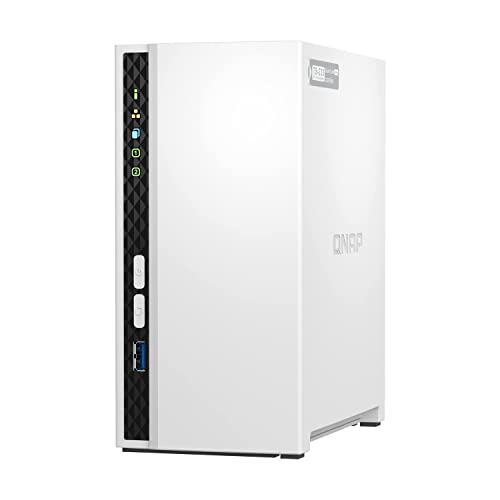 QNAP TS-233
Buyers who want faster-than-gigabit transfers without paying four-bay money.
Quick answer: First-timers who value a painless setup should get the Synology DS223j. If you are comfortable with slightly more technical software, the TerraMaster F2-212 gives you 2.5GbE networking for less money.
The picks, ranked
| Pick | Drive bays | CPU | Memory | Buy |
|---|---|---|---|---|
| Easiest first NASSynology DS223j | 2 | Realtek RTD1619B, quad-core 1.7 GHz | 1 GB DDR4 (fixed, not expandable) | Check price |
| Most hardware for the moneyTerraMaster F2-212 | 2 | ARM quad-core 1.7 GHz | 1 GB DDR4 | Check price |
| Best balanced budget pickQNAP TS-233 | 2 | ARM Cortex-A55, quad-core 2.0 GHz | 2 GB (fixed, not expandable) | Check price |
Easiest first NAS
Synology DS223j
The simplest credible NAS: DSM software, two bays, zero fuss.
Strengths
- Runs Synology DSM, the most polished and beginner-friendly NAS operating system
- Sips power and runs nearly silent, suited to always-on home use
- Straightforward setup: DSM walks a first-timer from install to shared folders in under an hour
Limitations
- Fixed 1 GB of DDR4 RAM cannot be expanded, capping multitasking headroom
- Single 1GbE port means network transfers top out around 110 MB/s in practice
- Realtek ARM processor rules out Plex hardware transcoding and heavy Docker use
What owners report
Commonly praised
- Affordable entry into Synology's software
- Easy setup
- Stable for backups and file sharing
Common complaints
- No tool-less drive trays
- Modest CPU and RAM
- Only 1GbE networking
Recurring themes from owner reviews on retailers and forums, summarised by our editors. Updated October 2026.
| Drive bays | 2 |
|---|---|
| CPU | Realtek RTD1619B, quad-core 1.7 GHz |
| Memory | 1 GB DDR4 (fixed, not expandable) |
| Network | 1x 1GbE RJ-45 |
| Operating system | Synology DSM 7.x |
Best for: First-time NAS owners who want reliable network storage and backups.
Skip if: You need 2.5GbE networking, Docker containers, or more than 1 GB of RAM.
Most hardware for the money
TerraMaster F2-212
The cheapest credible path to 2.5GbE network storage.
Strengths
- 2.5GbE port at an entry-level price undercuts every big-brand rival
- TRAID flexible RAID lets you mix drive capacities more freely than classic RAID
- Quiet, compact chassis suits a shelf or desk corner
Limitations
- Only 1 GB of DDR4 RAM, the least headroom of any unit here
- TOS 5 software is functional but thinner on apps and polish than DSM or QTS
- Smaller user community means fewer tutorials when something goes wrong
| Drive bays | 2 |
|---|---|
| CPU | ARM quad-core 1.7 GHz |
| Memory | 1 GB DDR4 |
| Network | 1x 2.5GbE RJ-45 |
| Operating system | TerraMaster TOS 5 |
Best for: Budget buyers who want 2.5GbE and can live with simpler software.
Skip if: You want the mature app ecosystem of Synology DSM or QNAP QTS.
Best balanced budget pick
QNAP TS-233
2.5GbE networking at a two-bay price.
Strengths
- A 2.5GbE port delivers up to 2.5x the theoretical throughput of gigabit rivals
- 2 GB of RAM doubles the DS223j, helping with multitasking and apps
- QTS supports snapshots and a wide app center for backup and media duties
Limitations
- RAM is fixed at 2 GB with no expansion slot
- ARM processor limits virtualization and some heavier QTS applications
- QTS is powerful but less hand-holding than DSM for absolute beginners
What owners report
Commonly praised
- Low price for a two-bay NAS
- Good transfer speeds over gigabit
- Feature-rich QTS software
Common complaints
- Setup and interface are confusing for beginners
- Support experiences vary widely
- Some long-term reliability concerns
Recurring themes from owner reviews on retailers and forums, summarised by our editors. Updated October 2026.
| Drive bays | 2 |
|---|---|
| CPU | ARM Cortex-A55, quad-core 2.0 GHz |
| Memory | 2 GB (fixed, not expandable) |
| Network | 1x 2.5GbE RJ-45 |
| Operating system | QNAP QTS 5.x |
Best for: Buyers who want faster-than-gigabit transfers without paying four-bay money.
Skip if: You prefer Synology's DSM software polish over QNAP's more technical QTS.
Questions, answered
What do I lose with a budget NAS?
Usually RAM (1 to 2 GB fixed), CPU headroom for apps like Plex transcoding, and sometimes network speed. File storage, backups, and media direct-play all work fine on budget units.
Is a two-bay NAS enough to start?
Yes. Two bays in a mirrored RAID 1 give you one drive of usable capacity with full redundancy, which covers backups and file sharing for most households.
Should I buy the drives at the same time?
Yes, and buy NAS-rated drives (WD Red Plus or Seagate IronWolf class). Desktop drives lack vibration tolerance and error-recovery tuning for 24/7 RAID use.