In-depth review
Blue Yeti X Review (2026)
Research review of the Blue Yeti X USB microphone: four-capsule array, 24-bit audio, and who it suits.

Blue Yeti X
The versatile creator standard.
Our verdict
The Blue Yeti X remains the default recommendation for a versatile USB microphone. Four pickup patterns cover solo recording, interviews, and music; 24-bit/48 kHz capture delivers clean detail; and the LED level meter makes it easy to set proper gain. It picks up room noise like all condensers, so pair it with a reasonably quiet space. For most creators, it is the safest first serious mic.
What we like
- Four switchable pickup patterns
- 24-bit/48 kHz recording
- Live LED level meter for easy gain setting
- Zero-latency headphone monitoring
What to watch out for
- Picks up room noise like all condensers
- No shock mount included
- Bulky on smaller desks
Who it is for
Best for creators who want one flexible mic for voice, interviews, and music. Solo podcasters in noisy rooms may prefer a dynamic mic instead.
Sound and patterns
The four-capsule condenser array feeds cardioid, stereo, omnidirectional, and bidirectional patterns, selectable from the front dial. Cardioid suits solo voice work, bidirectional handles two-person interviews, and stereo captures instruments with width. 24-bit/48 kHz resolution keeps recordings clean for editing and processing.
Controls and monitoring
The standout feature is the 11-segment LED meter on the front, which shows your live input level so you can set gain correctly without software. A multi-function smart knob handles gain, mute, and headphone volume, and the zero-latency headphone jack lets you monitor yourself in real time.
Room sensitivity
Like all condenser mics, the Yeti X hears your room. Keyboard clicks, air conditioning, and echo all make it into the recording. Close placement, soft furnishings, and the cardioid pattern minimize this, but buyers in very noisy spaces should consider a dynamic alternative.
What owners report
Commonly praised
- Clear, detailed voice sound for a USB microphone
- The LED level meter and multiple pickup patterns are handy
- Easy to set up with no extra interface needed
Common complaints
- The USB connection is a weak point and can break if knocked
- Some owners report random disconnects from the computer
- It picks up a lot of room noise, and support experiences are mixed
Recurring themes from owner reviews on retailers and forums, summarised by our editors. Updated October 2026.
Key specifications
- Capsule
- 4-capsule condenser array
- Resolution
- 24-bit / 48 kHz
- Pickup patterns
- Cardioid, bidirectional, omnidirectional, stereo
- Controls
- Multi-function smart knob, LED meter
- Connection
- USB
Also consider
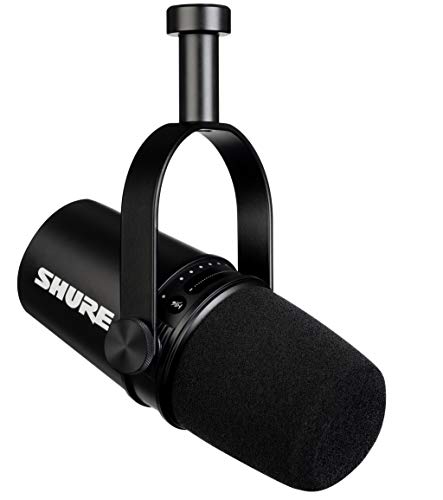
Shure MV7
Broadcast voice with a USB/XLR future.
- Capsule: Dynamic, voice-tuned
- Outputs: USB and XLR (hybrid)

HyperX QuadCast S
Studio sound with RGB flair and tap-to-mute.
- Pickup patterns: Stereo, omni, cardioid, bidirectional
- Recording: 48kHz, 16-bit
Research-based assessment. ThePickLedger has not hands-on tested this product; this evaluation synthesizes manufacturer specifications, retailer documentation, and published expert reviews.
Questions, answered
Does the Blue Yeti X need a shock mount?
Not strictly, but it helps. The Yeti X is sensitive to desk vibrations and bumps, so a shock mount or boom arm noticeably cleans up recordings with keyboard use nearby.
What do the four pickup patterns do?
Cardioid records from the front only, bidirectional from front and back, omnidirectional from all around, and stereo from left and right. Most solo creators live on cardioid.
Is the Yeti X good for streaming?
Yes, it sounds excellent on stream. Just be aware it will pick up keyboard and mouse sounds, so a noise gate in your streaming software is worth setting up.