In-depth review
LG 27GP850 Review
LG 27GP850 review: 27-inch 1440p 165Hz Nano IPS gaming monitor, researched from specs and expert reviews.

LG UltraGear 27GP850
Fast Nano IPS gaming without the flagship tax.
Our verdict
The 27GP850 remains one of the best-balanced gaming monitors at 27 inches: a fast 165Hz Nano IPS panel, wide color gamut, and adaptive sync support that also makes everyday desktop use look rich. Competitive players get speed, and everyone else gets a great-looking screen.
What we like
- 165Hz (180Hz OC) refresh rate
- Nano IPS with wide color gamut
- G-Sync and FreeSync Premium support
What to watch out for
- IPS contrast is average
- HDR is basic
- Stand is bulky
Who it is for
PC gamers who want high refresh rates without giving up color quality for work and media.
Gaming performance
The Nano IPS panel runs at 165Hz natively and overclocks to 180Hz, with a 1ms grey-to-grey response time that keeps motion sharp. Adaptive sync covers both major GPU brands, and the 1440p resolution is the current sweet spot where midrange GPUs still reach high frame rates.
Image quality
Nano IPS extends color gamut well beyond standard sRGB, so games and video look vivid and desktop work benefits too. HDR10 is supported, though as with most edge-lit HDR monitors it adds tone-mapping rather than true HDR punch. Viewing angles are excellent, as expected from IPS.
Limitations
There is no USB-C video input, so laptop users miss single-cable docking. Contrast is typical IPS, meaning blacks look grey in dark rooms compared with VA or OLED panels. The stand is fully adjustable, but cable management is basic.
What owners report
Commonly praised
- Fast, smooth 165Hz+ gameplay with low blur
- Vivid Nano IPS colors
- Good value for a high-refresh 1440p monitor
Common complaints
- IPS glow in dark scenes is a common complaint, and it varies unit to unit
- Some buyers exchange units over backlight bleed
- Contrast is limited in dark rooms
Recurring themes from owner reviews on retailers and forums, summarised by our editors. Updated October 2026.
Key specifications
- Size
- 27 in
- Resolution
- 2560 × 1440 (QHD)
- Panel
- Nano IPS
- Refresh rate
- 165 Hz (180 Hz OC)
- Response
- 1 ms GtG
Also consider

Acer Nitro VG270
Budget 165Hz gaming that gets the basics right.
- Size: 27 in
- Resolution: 1920 × 1080 (FHD)
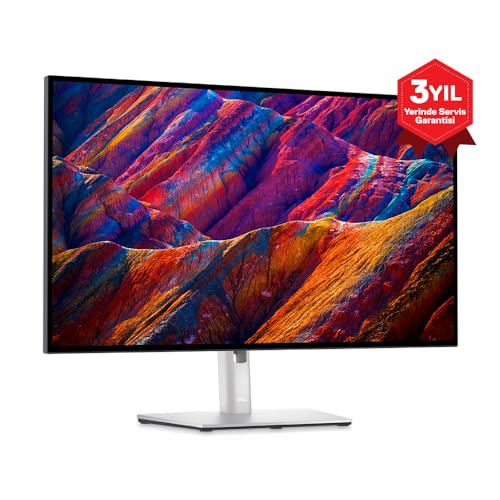
Dell UltraSharp U2723D
IPS Black clarity with a full USB-C hub.
- Size: 27 in
- Resolution: 2560 × 1440 (QHD)
Research-based assessment. ThePickLedger has not hands-on tested this product; this evaluation synthesizes manufacturer specifications, retailer documentation, and published expert reviews.
Questions, answered
What is the difference between the 27GP850 and the older 27GL850?
The 27GP850 raises the native refresh rate from 144Hz to 165Hz, with an 180Hz overclock option, and refines the panel. Image quality and feature sets are otherwise very close.
Does the 27GP850 work with both NVIDIA and AMD GPUs?
Yes. It supports adaptive sync across both ecosystems, so variable refresh rate works whether you run GeForce or Radeon graphics.
Is Nano IPS good for office work too?
Yes. The wide gamut and sharp 1440p resolution make text and media look excellent. Just note the wide gamut can oversaturate sRGB content unless you switch to the monitor's sRGB mode.