Head to head
LG 27GP850 vs Dell UltraSharp U2723D
LG 27GP850 vs Dell U2723D compared: 165Hz gaming panel against IPS Black office docking, specs and use cases.
#2 in our rankings · Best gaming

LG UltraGear 27GP850
Best for: Gamers who want 165Hz smoothness and good color in one 1440p panel.
#1 in our rankings · Best for home office
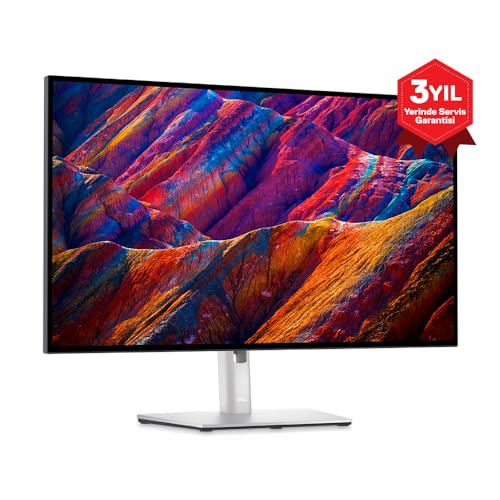
Dell UltraSharp U2723D
Best for: Home office workers who want excellent text clarity and one-cable laptop docking.
Our recommendation
Gamers should buy the LG 27GP850; office workers should buy the Dell U2723D. The LG wins on motion with its 165Hz Nano IPS panel, while the Dell wins on contrast and single-cable USB-C docking. If you do both, decide by which activity fills more of your screen time.
Panel and motion
The LG runs at 165Hz with 1ms response for sharp fast motion, while the Dell is a 60Hz panel tuned for static image quality. The Dell counters with IPS Black contrast around 2000:1, roughly double the LG's typical IPS contrast, which shows in dark themes and dim rooms.
Connectivity
The Dell includes USB-C with 90W power delivery plus a full USB hub, making it a one-cable dock for laptops. The LG focuses on display inputs for PCs and consoles, with no USB-C video, so laptop users will juggle more cables and a separate charger.
Color and resolution
Both are 27-inch 1440p IPS-class panels with strong sRGB coverage. The LG's Nano IPS stretches into wider gamuts for vivid games and media, while the Dell's factory calibration targets accurate sRGB for documents and design mockups.
Choose LG UltraGear 27GP850 if…
- You play fast-paced games and want 165Hz smoothness
- You want vivid wide-gamut color for games and video
- Your PC has a GPU strong enough for 1440p high-refresh gaming
Choose Dell UltraSharp U2723D if…
- You work from a laptop and want one-cable docking and charging
- You read and write in dark mode and want deeper IPS blacks
- Gaming is occasional and 60Hz is fine for your play
Spec-by-spec comparison
| Spec | LG UltraGear 27GP850 | Dell UltraSharp U2723D |
|---|---|---|
| Price tier | Mid-range | Premium |
| Size | 27 in | 27 in |
| Resolution | 2560 × 1440 (QHD) | 2560 × 1440 (QHD) |
| Panel | Nano IPS | IPS Black |
| Refresh rate | 165 Hz (180 Hz OC) | 60 Hz |
| Response | 1 ms GtG | — |
| USB-C | — | Yes, 90W PD with hub |
| Best for | Gamers who want 165Hz smoothness and good color in one 1440p panel. | Home office workers who want excellent text clarity and one-cable laptop docking. |
| Skip if | You do color-critical creative work. | You need high refresh rates for gaming. |
Strengths and limitations
LG UltraGear 27GP850
Strengths
- 165Hz (180Hz OC) refresh rate
- Nano IPS with wide color gamut
- G-Sync and FreeSync Premium support
Limitations
- IPS contrast is average
- HDR is basic
- Stand is bulky
Dell UltraSharp U2723D
Strengths
- IPS Black panel with strong contrast
- USB-C hub with 90W power delivery
- Factory color calibration
Limitations
- 60Hz refresh rate only
- No HDR gaming features
- Premium price for the size
How they fit the wider field
- LG UltraGear 27GP850: ranked #2 (Best gaming) in The Best Monitors for 2026. Read the full LG UltraGear 27GP850 review.
- Dell UltraSharp U2723D: ranked #1 (Best for home office) in The Best Monitors for 2026. Read the full Dell UltraSharp U2723D review.
Neither one quite right? The full rankings cover 10 picks matched to different buyers.
Questions, answered
Which is better for a mixed work and gaming setup?
The LG 27GP850, provided your PC connects over DisplayPort or HDMI and you can live without USB-C docking. Its panel is excellent for desktop work too, and the 165Hz refresh rate benefits everything on screen.
Does either monitor have speakers worth using?
Neither is known for speaker quality, which is typical for monitors in this class. Budget for desktop speakers or a headset if audio matters.